

I built Model Anatomy to help visualize and compare the internal structures of large language models. Here’s what it does.
Inspect a Single Model or Compare Models Side-by-Side
Select any two models from the dropdown menus and their architectures appear side by side. You can filter by model family (Llama, Gemma, Mistral, etc.) to narrow down your selection. You can see in the diagram below that Gemma 3 uses a hybrid normalization (combination of pre and post-norms) and OLMo 3 uses post-norm, and both of these are different from the more common pre-norm approach.
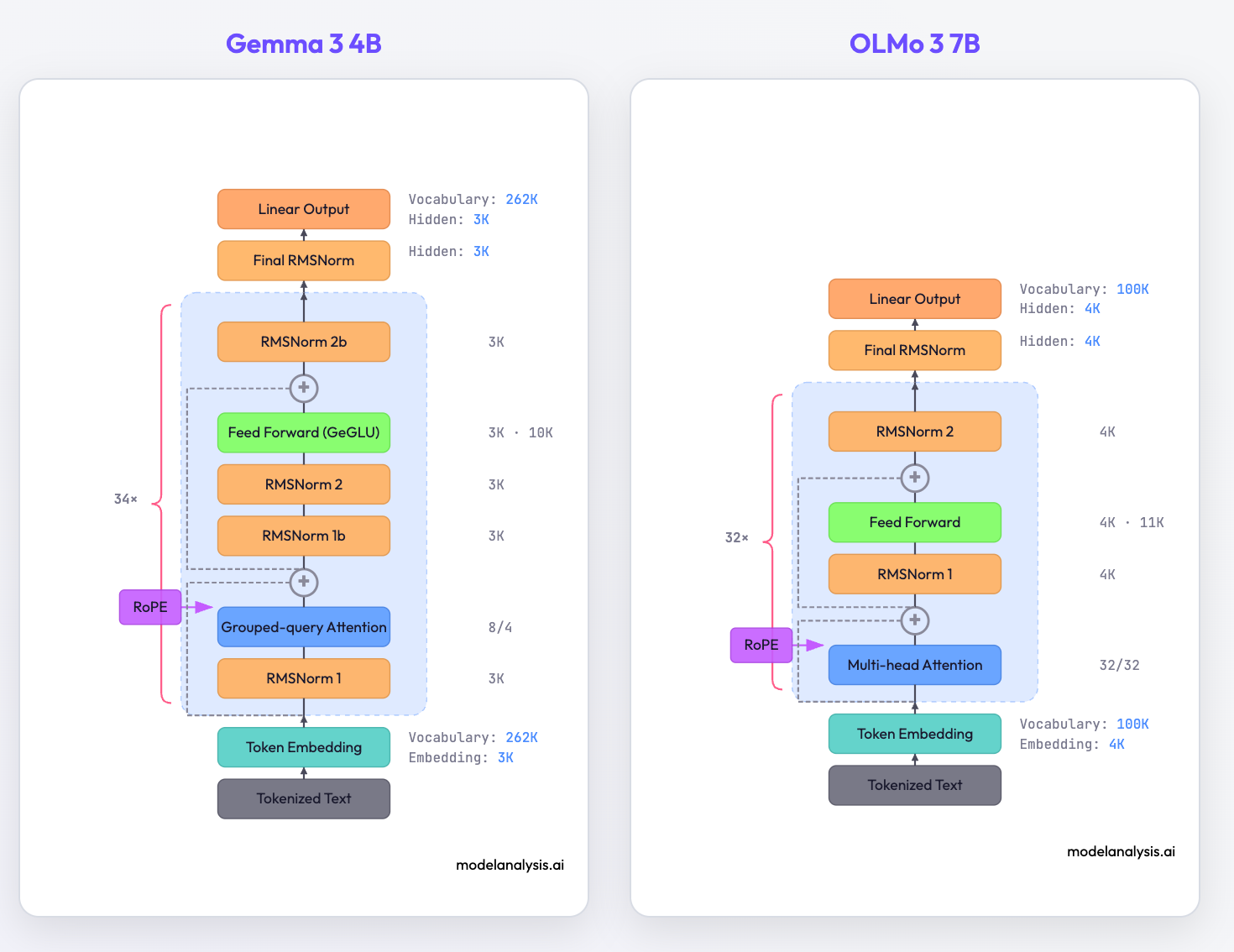
The LLM architecture doesn’t seem to have changed that much since GPT-2. But a careful comparison reveals interesting architectural differences. Most architectures use post-norm instead of pre-norm. Position embeddings gave way to RoPE. The original multi-head attention mechanism saw a few innovations like GQA. Mixtral stands out with its Mixture-of-Experts (MoE) layers visible in the diagram.
Understand Parameter Counts
Toggle “Show parameter counts” to see where parameters actually live in each model. Every number is interactive. Hover over any parameter count to see exactly how it’s calculated.
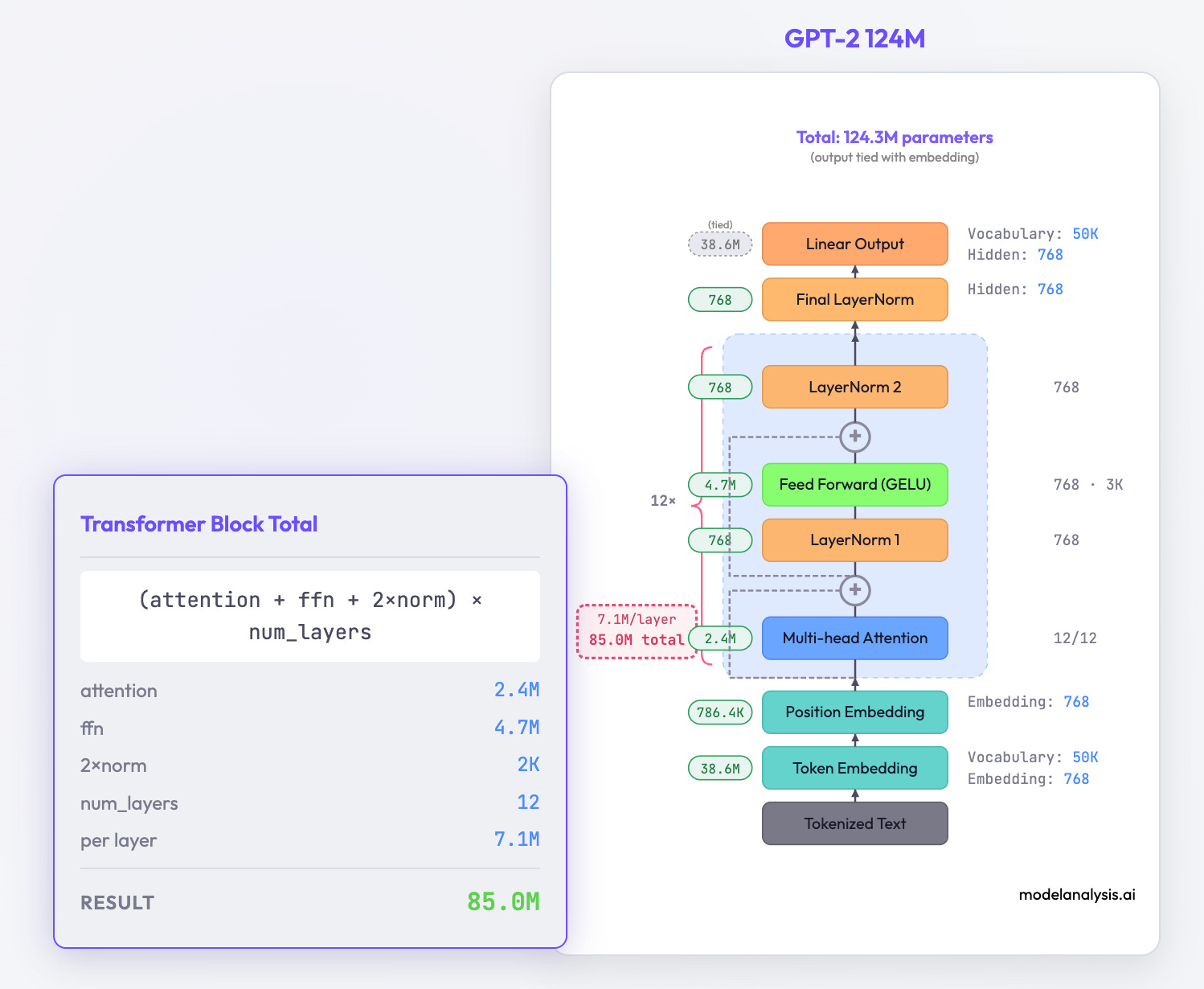
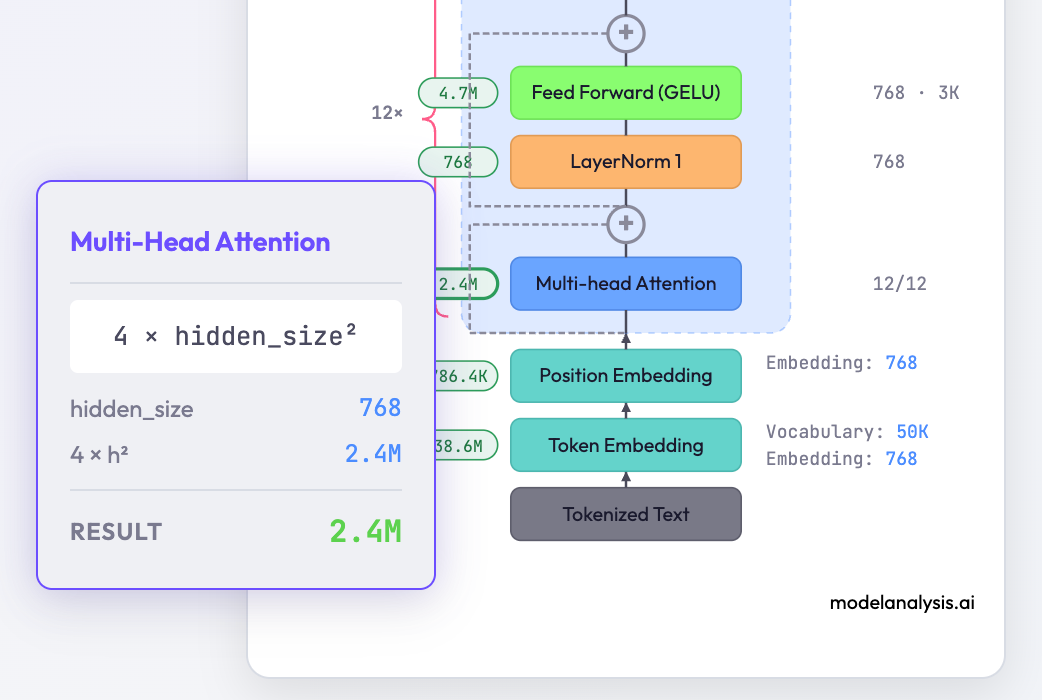
For example, hover over the attention layer’s parameter count and you’ll see the formula break down: Q/K/V projection weights, output projection, the dimensions multiplied out.
This reveals some interesting patterns:
Embedding layers are expensive. In smaller models, the embedding table can account for a significant fraction of total parameters. A 50k vocabulary × 4096 dimensions = 200M parameters before you even get to the transformer blocks.
FFN layers dominate. In most architectures, the feed-forward network within each transformer block contains roughly 2/3 of that block’s parameters. The attention mechanism everyone talks about is actually the minority.
Scaling isn’t uniform. Models don’t just multiply everything by the same factor when going from 8B to 70B. Hidden dimensions, number of layers, and attention heads all scale at different rates.
Inspect Individual Modules
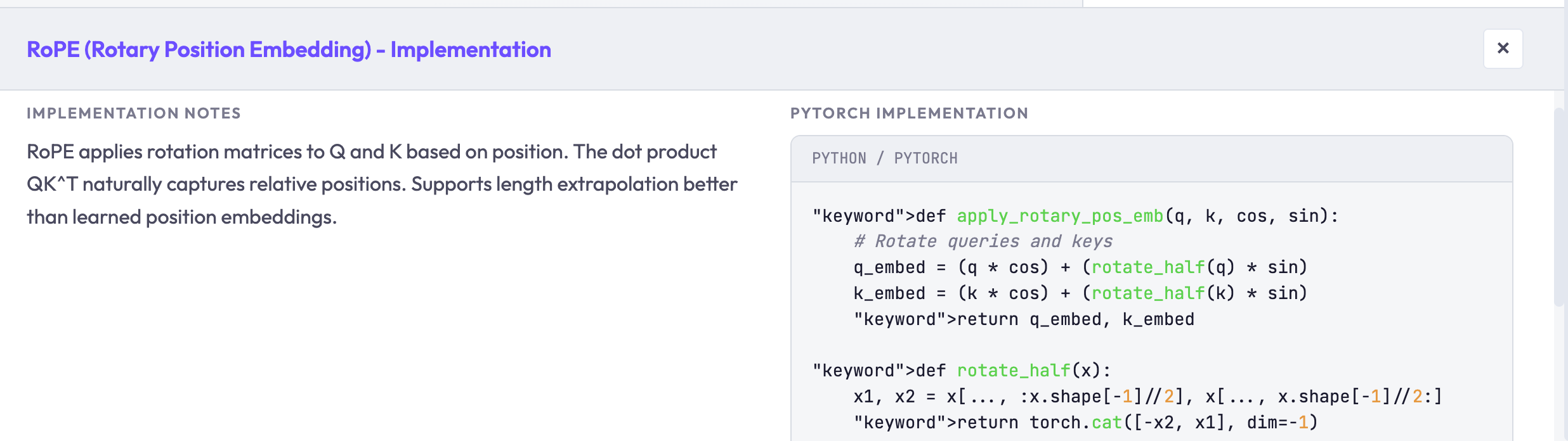
Click any module in the diagram to see its details: the mathematical formula, the tensor shapes flowing through it, and what each component does. The side panel shows a graphical breakdown, and if you enable “Show implementation code,” the bottom panel shows PyTorch-style pseudocode.
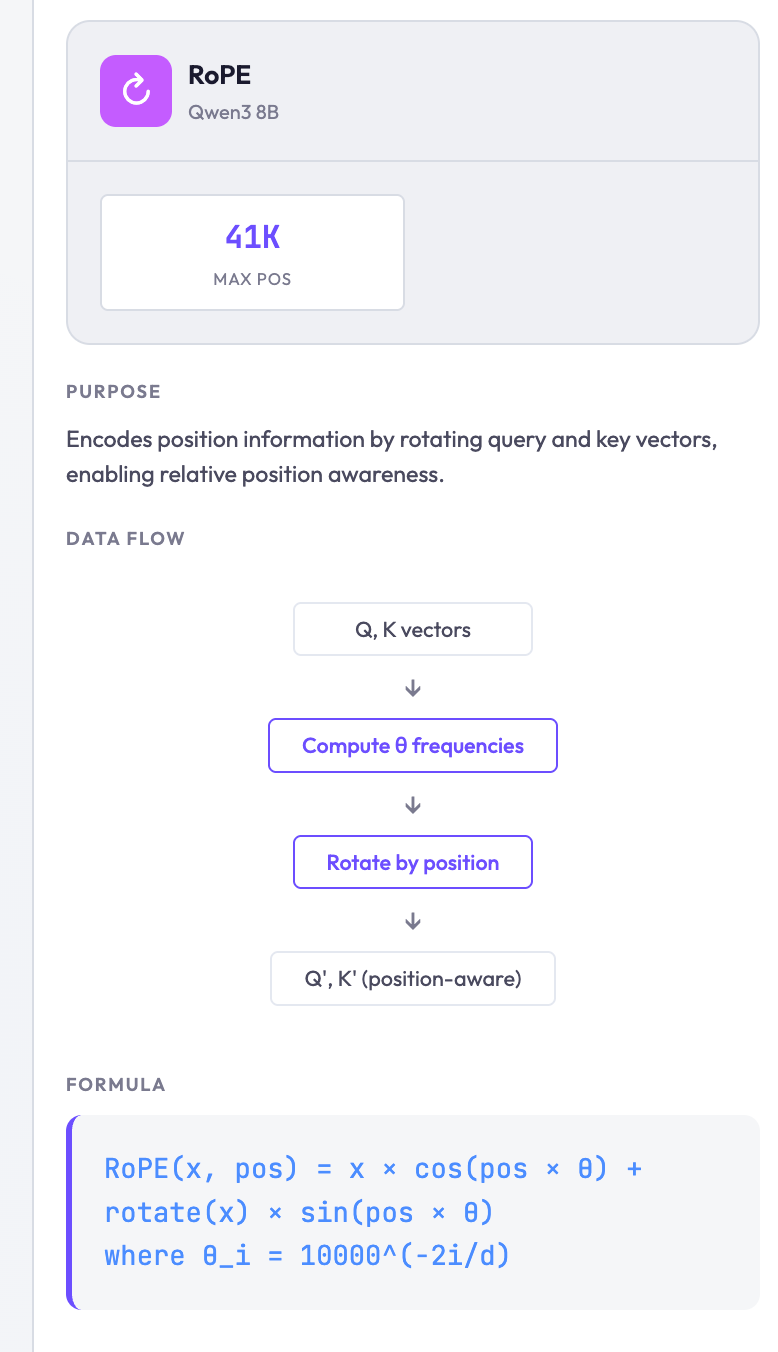
Implementation details with pseudocode:
What I Learned Building This
I first sketched this idea over a year ago but never built it. The implementation seemed tedious, involving parsing model configs, building SVG diagrams, handling all the edge cases between different architectures.
Last week I sat down with a coding agent and had a working version in an evening. The agent handled the boilerplate, I directed the design decisions. Things that would have taken me hours of documentation-reading happened in seconds. The productivity multiplier was real.
This tool is far from perfect, and I selected only some model variants, missing edge cases in the visualization, or features that would be useful. But, hopefully you’ll still find it useful whether you’re new to the field or just interested in comparing two models.
Learn More
If you want to go deeper into model architectures, Sebastian Raschka has an excellent breakdown of modern LLM designs at Understanding Large Language Models. His blog covers some interesting insights and implementation details that this tool visualizes. Shout out to Jay Alammar whose Illustrated GPT-2 explained GPT-2 pretty comprehensively and intuitively when I started out years ago.
Try It / Contribute
The tool works best on desktop but should be usable on mobile browsers (the layout stacks vertically on phones).
What models are missing? What features would be useful? What’s confusing, incorrect, or broken? Leave a comment or reach out. I’d like to make this more useful for anyone trying to understand what’s actually inside these models. I will also give you credit for all your findings and contributions :)